
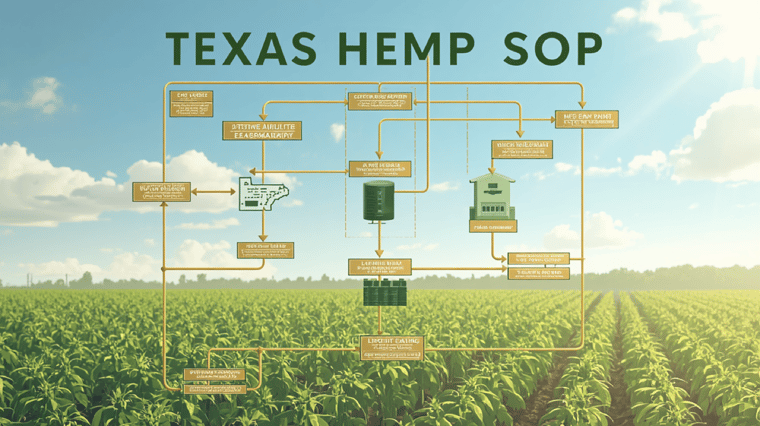
Texas hemp COA storage is now front-and-center for every hemp and CBD retailer trying to keep pace with evolving regulations in 2026. If you run a store in Texas, there’s no sidestepping COA expiration tracking, batch documentation, and keeping workflows audit-ready. This isn’t just a checkbox anymore - it’s the backbone of how you operate and defend your business when the inspectors show up.
What Changed for Texas Hemp COA Storage in 2026
The Texas Department of State Health Services (DSHS) made a clean break with past habits in 2026, rolling out COA rules that require every hemp item in your store to have a visible batch date or lot number plus a link (a real, live URL) taking shoppers and regulators straight to its current Certificate of Analysis. This is not an optional sign-on-the-wall-it’s a full digital trail that gets crosschecked by inspectors and digital audits. Your biggest puzzle is tying COA expiration tracking to inventory shifts and sales records - ready to prove compliance at a moment’s notice. Gone are the days of paper folders or hop-scotching across a jungle of spreadsheets. Texas wants to see a single, online source of truth, and they’ll expect you to pull any COA or batch doc, fully up to date, right when they ask.
COA Expiration Tracking: Making Dates Count in Texas
Spot checks on COA expiration are now a big deal. A COA is only good for a single year starting from the date the testing was finished - this date rules the roost, not when you sold or received the item. If you’re not tracking these dates closely, you could land in hot water fast. Industry experts like those at THCGummies.com recommend routinely checking COA dates and pulling any non-compliant batches before they zap your compliance record. Rely on digital inventory and compliance platforms that integrate expiration data, highlight items about to expire, and flag you before something slips past the goalie.
Batch Documentation Workflows for Texas Hemp Stores
Batch documentation isn’t just busywork - it’s required for smooth operations under the 2026 rules. You’ll want every COA to be logged and linked to a specific batch or lot, easily retrievable for staff and regulators alike. Here’s how most compliant retailers handle it today:
- Enter batch or lot numbers at product receiving and connect them to your POS or inventory system as you bring items in.
- Upload COAs digitally into a secure platform or cloud storage built for compliance.
- Connect each COA to a SKU so you can pull it up during sales, routine audits, or any regulatory review.
- Archive all batch docs digitally for at least the full year of validity, plus your audit period for added coverage.
Automated solutions - think Cova CBD POS System - shift this process from manual, error-prone slog to streamlined workflow. Legal analysis confirms: instant, digital batch and COA access is a non-negotiable for passing audits in Texas starting 2026.
Building Audit-Ready Workflows for COA Storage
If you want an audit-ready COA workflow that actually works in Texas, you need three things at a minimum:
- Digital Storage: All COAs, archived and retrievable by batch, SKU, or lot, kept securely online.
- Automated Expiration Flags: A system that alerts you when a COA is nearing expiration - this gives you time to pull products instead of scrambling at the last second.
- Recall Integration: Linking COAs directly to sales records, so when you need to issue a recall or contact customers about a batch, you’re not stuck digging through a mess of files.
This kind of streamlined recordkeeping is only possible with unified digital tools. The complexity is real, but solutions like Cova’s Inventory Management make it much less daunting. They provide that single source of truth DSHS expects and cut the risk of compliance slip-ups.
Automation’s Role in COA Storage and Expiration Tracking
Trying to keep up with COA storage and dates by hand? That approach just won’t cut it. Modern automation tools - like MyCOA from Qredible or Cova’s compliance modules - handle basic tasks for you. Here’s what automation delivers:
- Centralized, secure COA and batch doc storage
- Automatic notifications ahead of COA expiration (email or SMS)
- Quick access to batch-sale connections for immediate recall planning
- Continuous cloud backups, supporting audit readiness
Automating these pieces of your COA workflow frees your team up to focus on serving customers, not firefighting compliance. Find more related SOPs and operational guides in the dispensary SOP templates from Cova Software.
Recall Planning: An Integral Part of COA Management
It’s easy to overlook, but integrated recall workflows are now mandatory in Texas. Every sale you make needs to trace back to a batch, and you must be ready to notify affected customers right away if a recall comes up. In a real recall, being able to reach both regulators and buyers with accurate information, fast, makes a world of difference. Proper COA storage isn’t isolated from recall planning - they work as a single, unified risk management strategy. If you’re looking to up your audit game and control inventory better, Cova’s inventory aging report guide offers more practical tips.
Texas Hemp COA Storage: FAQs
- How long do you need to keep COAs for Texas hemp products?
At a minimum, COAs must be stored for one year past the product test date, but best practices say keep them for the full product life cycle and any audit buffer period. - Is it OK to use paper files for COA storage?
Not anymore. DSHS expects electronic COA records that can be pulled instantly - a physical file just won’t fly. - What if a product’s COA expires while it’s still on the shelf?
It’s not legal to sell anything with an expired COA. Stay on top of your expiration dates and pull any expired batches right away. - What does an audit-ready COA workflow really look like?
For Texas, this is a digital workflow connecting COAs, batch numbers, and sales data in a platform that lets you produce any record when regulators ask. - How does retail software help manage COA expiration and documentation?
Specialized software - like Cova Software - automates these tracking requirements, slashing the possibility of manual errors and making compliance much simpler. More on Texas hemp laws here.
Conclusion: Staying compliant with Texas hemp COA storage and expiration tracking in 2026 isn’t about ticking a few boxes or keeping one good spreadsheet. Digital, automated systems and unified workflows are quickly becoming the standard. The right platform doesn’t just reduce audit panic - it sets your store up for long-term operational control and peace of mind. Ready to upgrade how you manage compliance? Browse the Cova Resource Hub or book a live demo today.


No Comments Yet
Let us know what you think